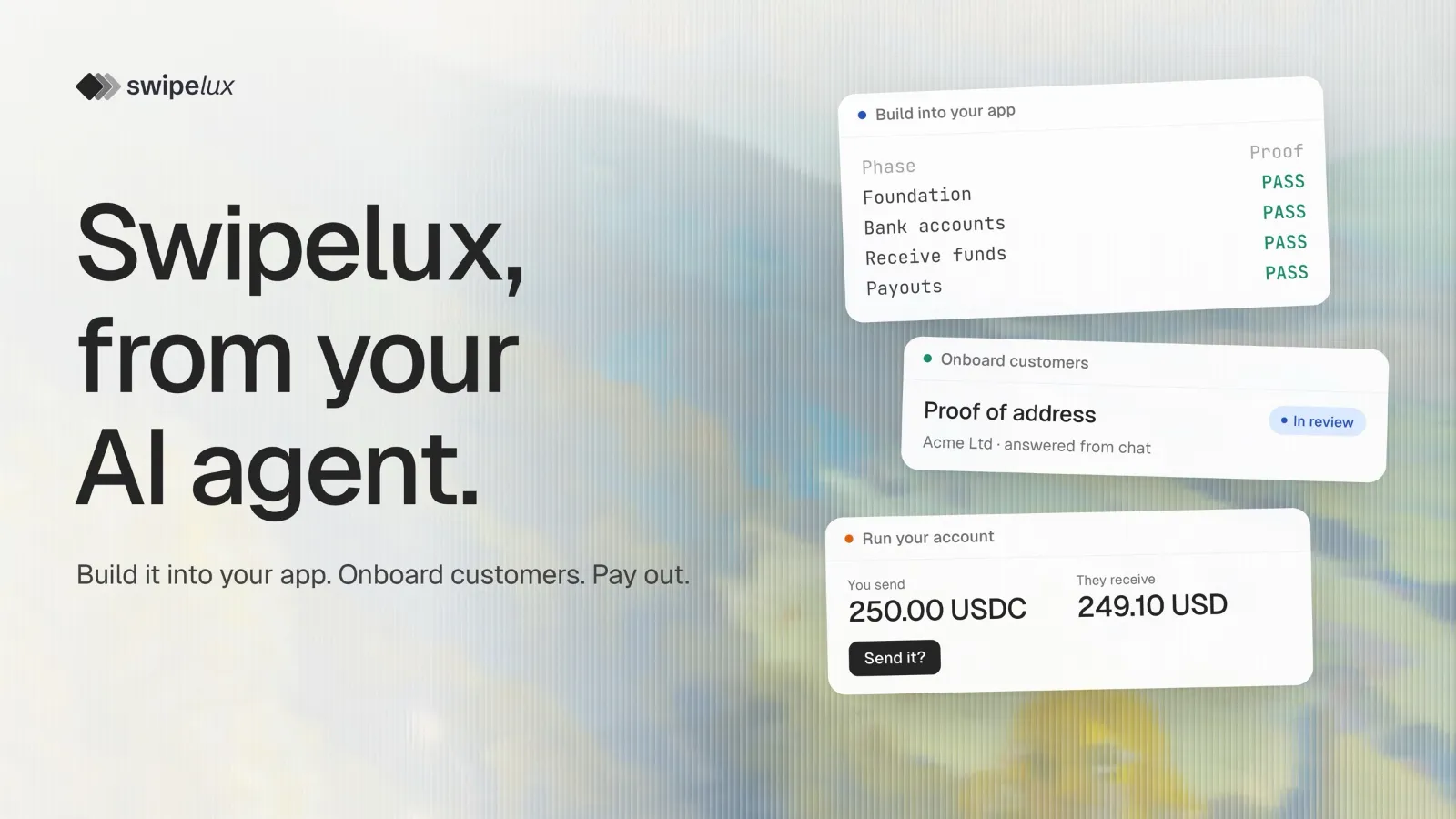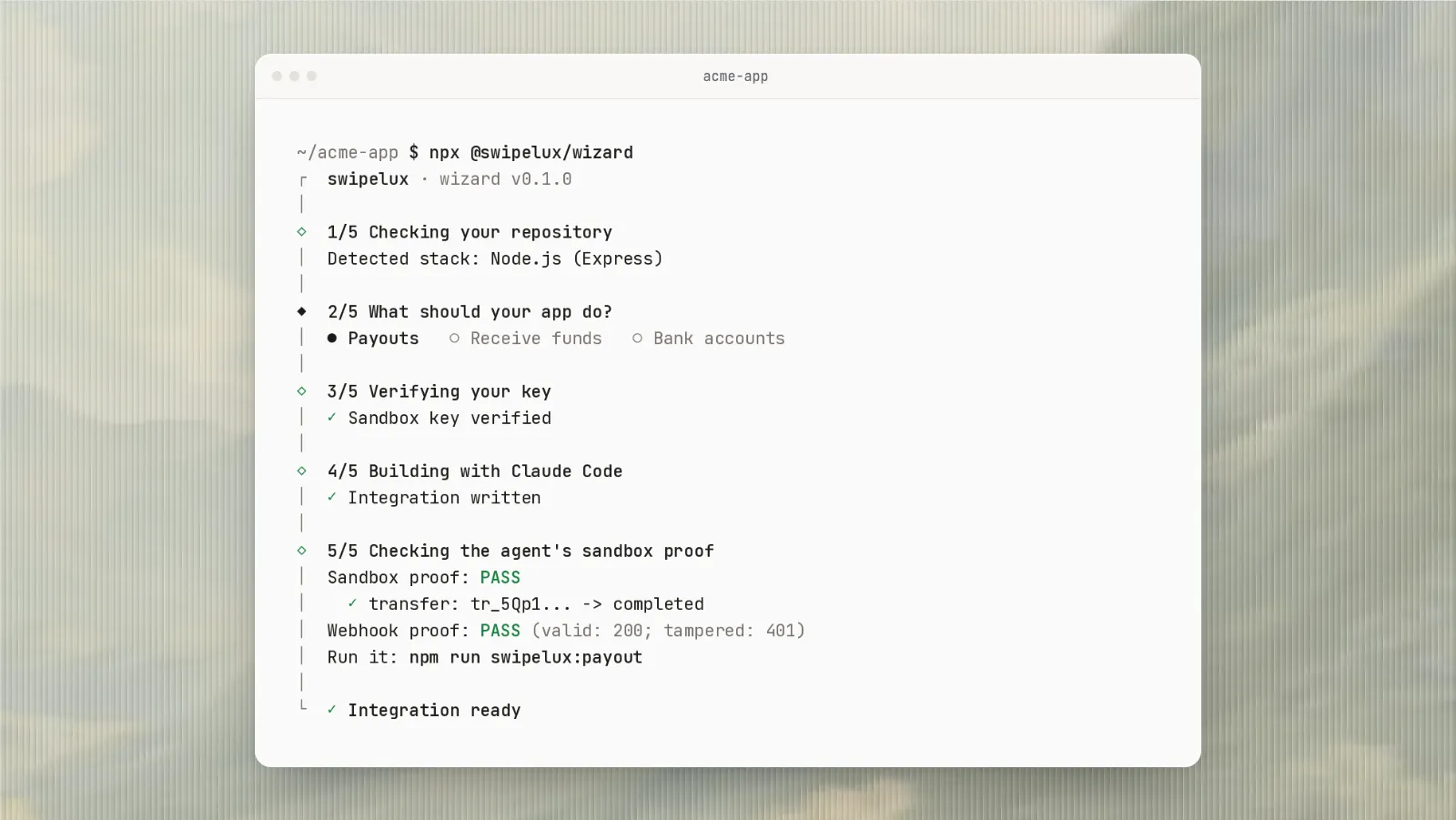
The Swipelux AI wizard is a setup wizard that hands a payments API integration to your coding agent. Run one command, npx @swipelux/wizard, in your project. It starts Claude Code or Codex there, and the agent adds bank accounts for your customers, pay-ins and payouts to your app. The wizard reports success only when every flow is proven, in Sandbox or by tests.
npx @swipelux/wizardWhat the coding agent builds: virtual accounts, pay-ins and payouts
The agent builds three flows on one shared foundation: bank accounts, receive funds and payouts. All three are selected by default. Untick a flow you don't need, or pass --use-case payouts to build only one.
| Flow | What your customer gets | What the agent builds in your app |
|---|---|---|
| Bank accounts | Reusable named bank details, such as a USD account and routing number, often called a virtual account. Deposits settle into the customer's wallet. | Account opening, the details on your Accounts screen, deposits in balance and activity |
| Receive funds | A one-time bank payment for a set amount, also called a pay-in | Amount entry, quote, payer instructions, settlement tracking |
| Payouts | Money from the wallet to someone else's bank account, the off-ramp | Recipient, bank destination, quote, confirmation and outcome |
In the API, a bank account is one POST /v3/customers/{customerId}/accounts, as the Issue a bank account guide shows. A pay-in (Receive funds) and a payout (Send funds) are each POST /v3/quotes, then POST /v3/transfers.
Every flow needs the same foundation: an API client, customer onboarding with the Bank's hosted terms and identity verification, one USDC wallet per customer, and a webhook route that verifies signatures. For a business customer that onboarding is KYB: see the documents a bank asks a business for.
Card, Apple Pay and Google Pay payments are not one of the three flows. They take five API calls, shown in How to integrate card payments for crypto purchases into your app.
How does the wizard run Claude Code or Codex in your project?
The wizard starts the agent in your repository with Swipelux's instructions for each flow and keeps it in one session. A coding agent is a tool that reads your codebase, edits files and runs commands: Claude Code from Anthropic and the Codex CLI from OpenAI both work this way.
One run goes through five steps, and the terminal shows each:
- Checks your repository: finds your coding agent, your stack and any Swipelux code already there, and asks you to confirm the folder.
- Asks what your app should do: all three flows, or only the ones you pick.
- Verifies your key: you approve a login in your browser, and the wizard checks whether the key is Sandbox or live.
- Builds with your agent: first the foundation, then each flow you picked, in one session.
- Checks the proof: a result for the foundation and for every flow, then the list of changed files.
The run pauses when it needs a person. The Bank's terms are a hosted page that no API call can accept, so in a Sandbox run the wizard prints the link and continues once you click Accept.
How is the integration tested in Sandbox?
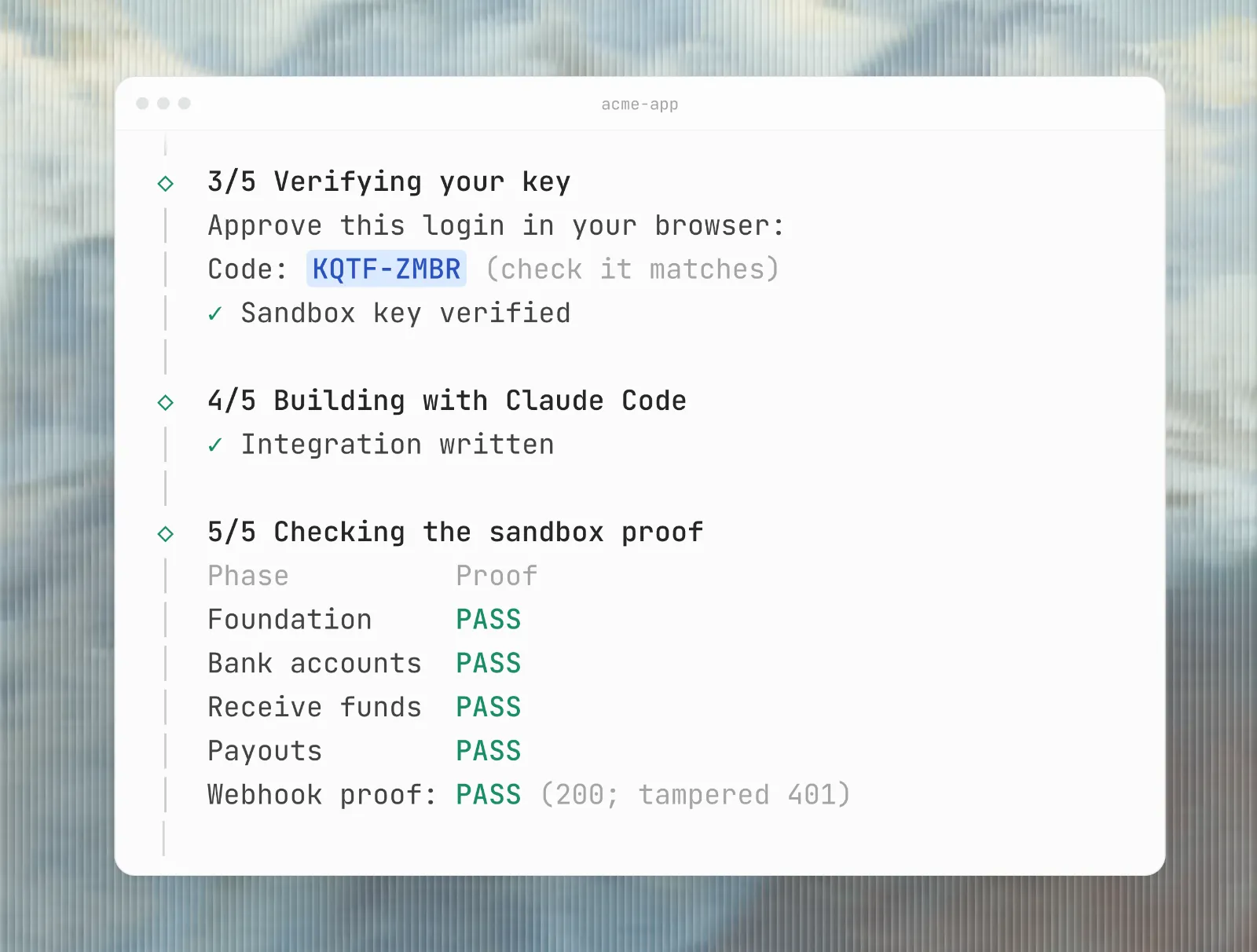
The wizard doesn't stop when the code is written. With a Sandbox key the agent runs every flow against Sandbox through the new code. The agent reports each step with the Sandbox id it created and the state it reached. The wizard checks that report and prints PASS or FAILED for the foundation and every flow, as in the picture above, plus a check that your webhook route accepts a signed event and rejects a tampered one. To confirm a result yourself, look the ids up in your Sandbox dashboard.
Sandbox is Swipelux's test environment: the same API with a Sandbox key, where outcomes are simulated and no real funds move. For a payout, the proof sends the payout through your app's own routes, has Sandbox complete the transfer, and compares your app's balance with the balance the API reports. If a flow fails, the run marks it FAILED and keeps the other results, and npx @swipelux/wizard --resume picks up at the first unfinished phase.
Is it safe to let an AI coding agent integrate a payments API?
It is safe when the agent cannot reach a key that moves real money and every change is left for you to review. The wizard is built that way: it never passes a live key to the agent, and writes one to .env only if you type save after the agent has finished. A Sandbox key cannot move real money, and nothing is committed. With a live key the wizard only verifies the key, and the agent tests with mocked responses, with no calls to your account.
OWASP's cheat sheet on secure coding with AI asks for no production credentials within the agent's reach, no outbound network access the task does not need, and a human review of the full diff. It also says to keep secrets out of project files an AI tool can read. The wizard departs from that for the Sandbox key, which goes into .env because your app needs it to call Sandbox. A live key goes there only if you type save after the agent has finished.
| While the agent works | Sandbox key | Live key |
|---|---|---|
| How each flow is proven | Real Sandbox calls through the new code | Automated tests with mocked HTTP and local webhook tests |
| Calls to your account | Sandbox only: no real funds move | None |
| Network for the agent's commands | On | Off |
| Where the key is saved | Your git-ignored .env | Nowhere, unless you type save at the end |
Your key. A Sandbox key sits in .env for your app to read. The agent is told never to open that file, and in Claude Code the wizard also blocks the agent's file tools from reading it. A Sandbox key cannot move real money. The wizard refuses to write the key to a .env that git tracks, and its saved session state never contains the key.
Your review. The wizard starts only on a clean working tree, so after the run git status lists the agent's work and the wizard's .gitignore lines. It does not list what git ignores: the .env with your key and the .swipelux-wizard/ folder. git diff shows edits to existing files only, so read the new files as well. During the run the agent edits files and runs commands in your project without asking for each one. The agent is told not to touch unrelated files.
Undo. The summary prints the exact cleanup for your run. Restore or remove the SWIPELUX_API_KEY line in .env, or delete .env if the wizard created it, then discard the changes:
git -C '<repository-root>' checkout -- . && git -C '<repository-root>' clean -fdThis discards every unstaged change and every untracked file in that repository. Files that git ignores stay, such as .env and .swipelux-wizard/: delete those by hand. A change staged with git add survives too, and in a repository with no commit yet the checkout fails: git reset --hard in place of the checkout covers both.
Does the wizard work with an existing app, such as Node.js with Express?
Yes. Run npx @swipelux/wizard in the app's repository. For an Express app in TypeScript the terminal shows Detected stack: Node.js (Express, TypeScript) and asks you to confirm. The agent then adds virtual accounts, pay-ins and payouts to your existing customers, screens and background jobs instead of a separate payments module. The new code looks like the rest of your app.
| Your repository | What the wizard does |
|---|---|
| New app | Builds the full integration in an empty repository |
| Existing app | Adds the flows you pick, using your models, framework, jobs and webhooks |
| Existing Swipelux integration | Reviews every flow already there and writes ranked findings to SWIPELUX-REVIEW.md without touching application code. You then choose: fix all findings, or stop with the report. |
Already chatting with your coding agent? Paste a prompt from the wizard's page on npm into the same chat instead.
For fintech startups that build with a coding agent
You run a neobank, a wallet, a B2B payment platform, a payroll app or a marketplace, and you build with Claude Code or Codex. On sales calls, founders like you ask how long integration takes, whether there is a sandbox, and where the API documentation is. Some have a launch date a few weeks out and developers busy with their own product, and a payments or banking API integration usually means weeks with the docs.
Three jobs stay yours. Someone who knows your app reviews the changes before they ship, like any other code. Each customer accepts the Bank's terms and passes identity checks, which the agent never does for them. And you register your webhook endpoint at a public HTTPS address and set SWIPELUX_WEBHOOK_SECRET.
Once the integration is live, run the account itself from chat. Ask your AI agent about the Bank's requests or to send a payout: Let your AI agent handle KYB and payouts. The AI agents page shows what Swipelux does in each agent. To confirm banks, currencies and pricing for your flow first, talk to sales.
Questions people ask
Can Claude Code integrate bank accounts into my app?
Yes. Claude Code or Codex can integrate banking accounts into your app. Run npx @swipelux/wizard in your project. The agent adds bank accounts in your customers' names, such as USD account details, plus pay-ins and payouts through the Swipelux API, then tests each flow in Sandbox.
Does the coding agent see my API key?
Not a live key. The Swipelux wizard passes no key to the agent: not in its prompt, its command arguments or its environment, and a live key is saved only if you type save after the run. A Sandbox key is written to the git-ignored .env in your project, because your app needs it to call Sandbox. The agent is told not to open that file, and a Sandbox key cannot move real money.
Does the wizard touch real money?
No. With a Sandbox key every check runs in Sandbox, where no real funds move. With a live key the agent makes no calls to your account: it proves the code with mocked HTTP responses and local webhook tests.
Does the wizard commit or push my code?
No. Nothing is committed: the agent is told not to, and the wizard makes no commit of its own. The changes stay in your working tree, and committing and pushing stay with you after review.
How do I undo what the wizard changed?
With git. The summary prints the exact commands for your run: restore or remove the SWIPELUX_API_KEY line in .env, then run git checkout -- . and git clean -fd from the repository root. They discard every unstaged change and untracked file. A change staged with git add stays until you run git reset --hard, and ignored files such as .env stay until you delete them.
How long does the integration take?
One run of the Swipelux wizard. Each agent run it starts is limited to 90 minutes, and --timeout raises that. If a run times out, your changes are kept, and npx @swipelux/wizard --resume continues the same agent session from the first unfinished phase. Then your team reviews the code.
Does the wizard work on Windows?
Yes, inside WSL. The wizard runs on macOS and Linux with Node.js 18 or newer; on Windows, run it in WSL. Browser login prints a link and a code, so signing in also works in WSL, over SSH and in containers.
What does the wizard cost?
Nothing for the wizard itself: @swipelux/wizard is an npm package under the MIT license. Swipelux's pay-as-you-go plan has no platform fee and no minimums: a transaction fee of 0.01–0.5% per transfer, set by corridor and volume, KYC and KYB per check, and bank charges at cost. The agent's usage counts against your own Claude Code or Codex account.
Can I run the wizard without prompts?
Yes. Add --yes and set SWIPELUX_API_KEY as an environment variable from your secret manager, never as a command argument. An unattended run builds all three flows unless you pass --use-case and never saves a live key. In a Sandbox run it prints the link to the Bank's hosted terms page and waits up to 15 minutes for you to accept.
What does the wizard add to my repository?
Four things at most. The agent's code changes, left uncommitted. A SWIPELUX_API_KEY line in .env when the key is saved. Entries in .gitignore for .env and .swipelux-wizard/, the folder with session state and logs. And SWIPELUX-REVIEW.md when it reviews an existing integration.
Which languages and frameworks does the wizard support?
The wizard detects Node.js with Express, Fastify, NestJS, Next.js, Koa or Hono, Python with FastAPI, Django or Flask, and Go, PHP, Ruby and Rust projects. It shows the stack it found and asks you to confirm, and the agent writes the integration in that stack, following your app's conventions.
Start now
You need Node.js 18 or newer on macOS or Linux (WSL on Windows), a git repository with no uncommitted changes, and Claude Code or the Codex CLI installed and signed in.
- Sign up for Swipelux; Sandbox is ready right away.
- Open your project and run
npx @swipelux/wizard. - Approve the login in your browser and confirm the flows you want.
- Review the changes and the Sandbox results, then ship.