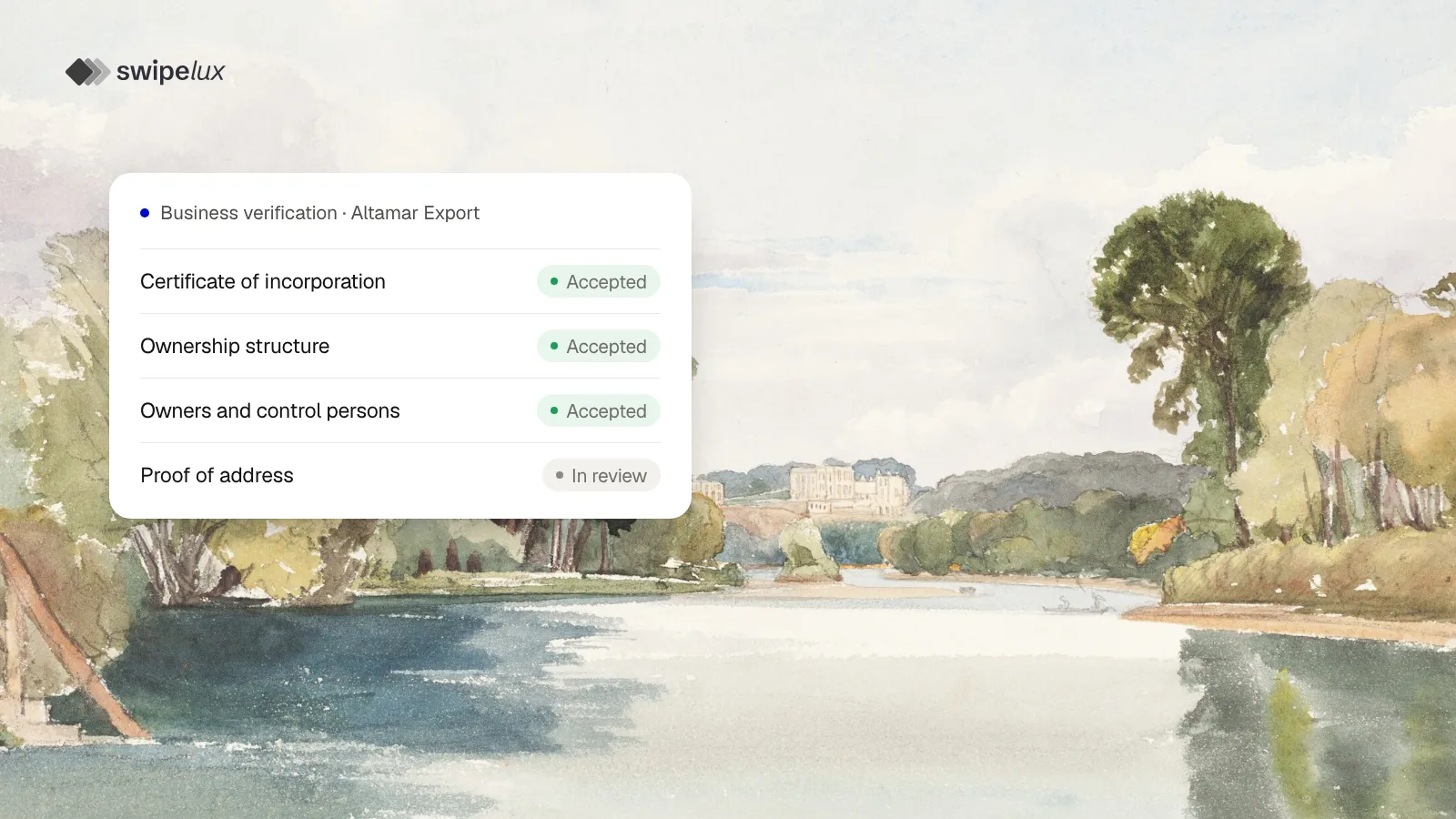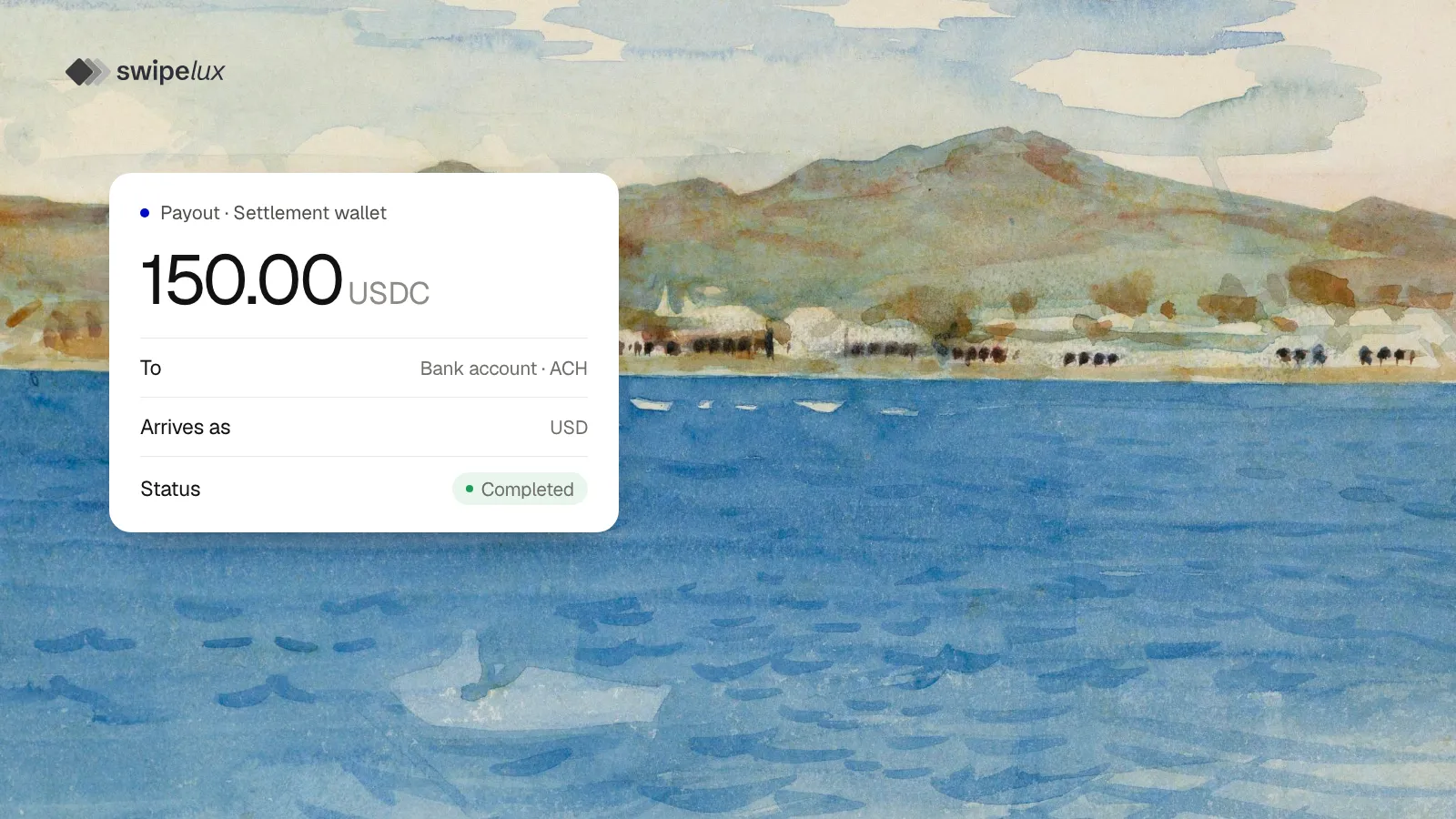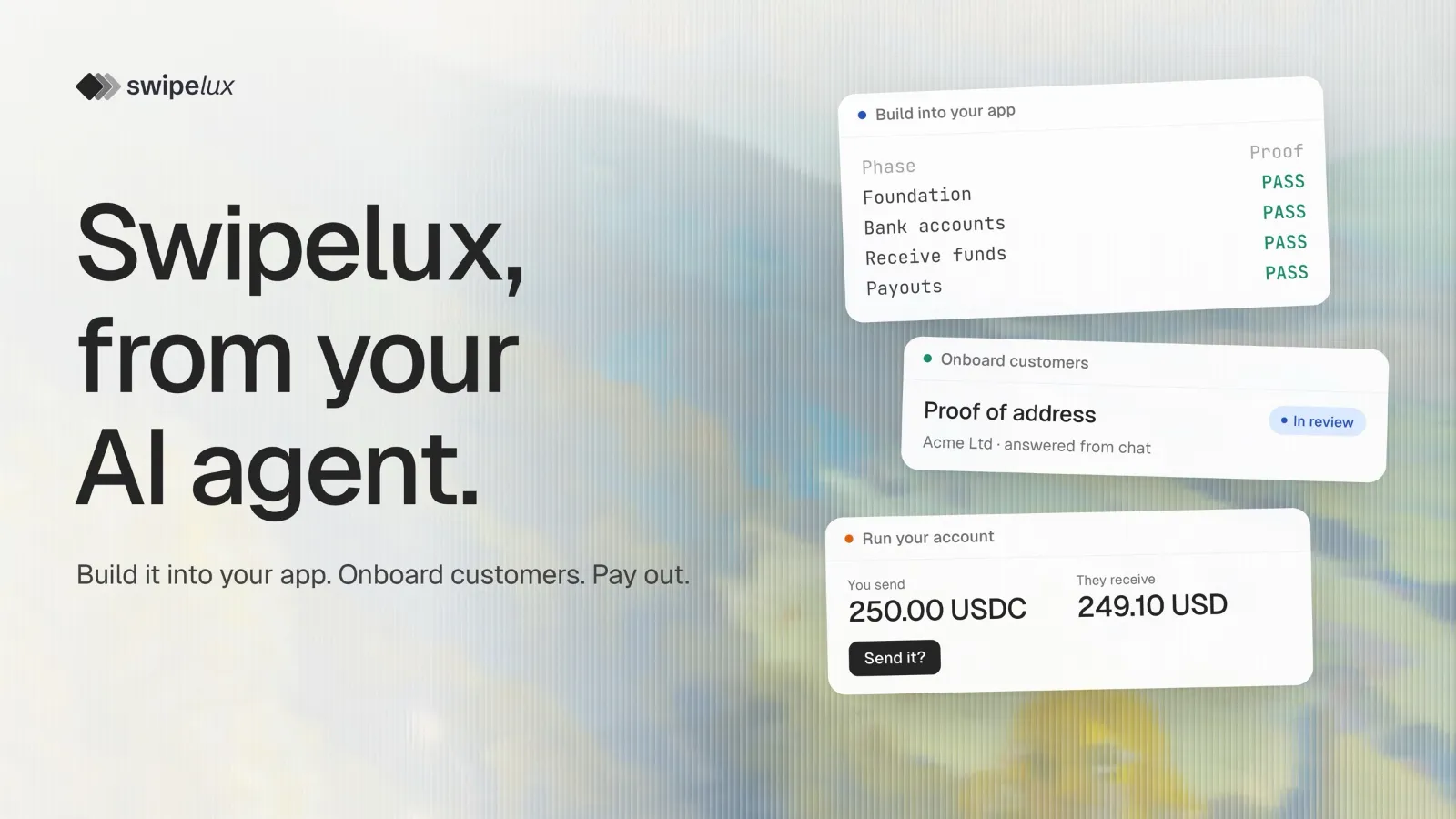
An AI agent can handle KYB and payouts on Swipelux. Connect your account once to Claude, ChatGPT, Claude Code or Codex through the Swipelux MCP server, and the chat answers the Bank's compliance and KYB requests, uploads documents and sends payouts. You ask in plain words; the agent does the dashboard work. MCP, the Model Context Protocol, is an open-source standard for connecting AI applications to external systems.
Can an AI agent answer the Bank's KYB requests and upload documents?
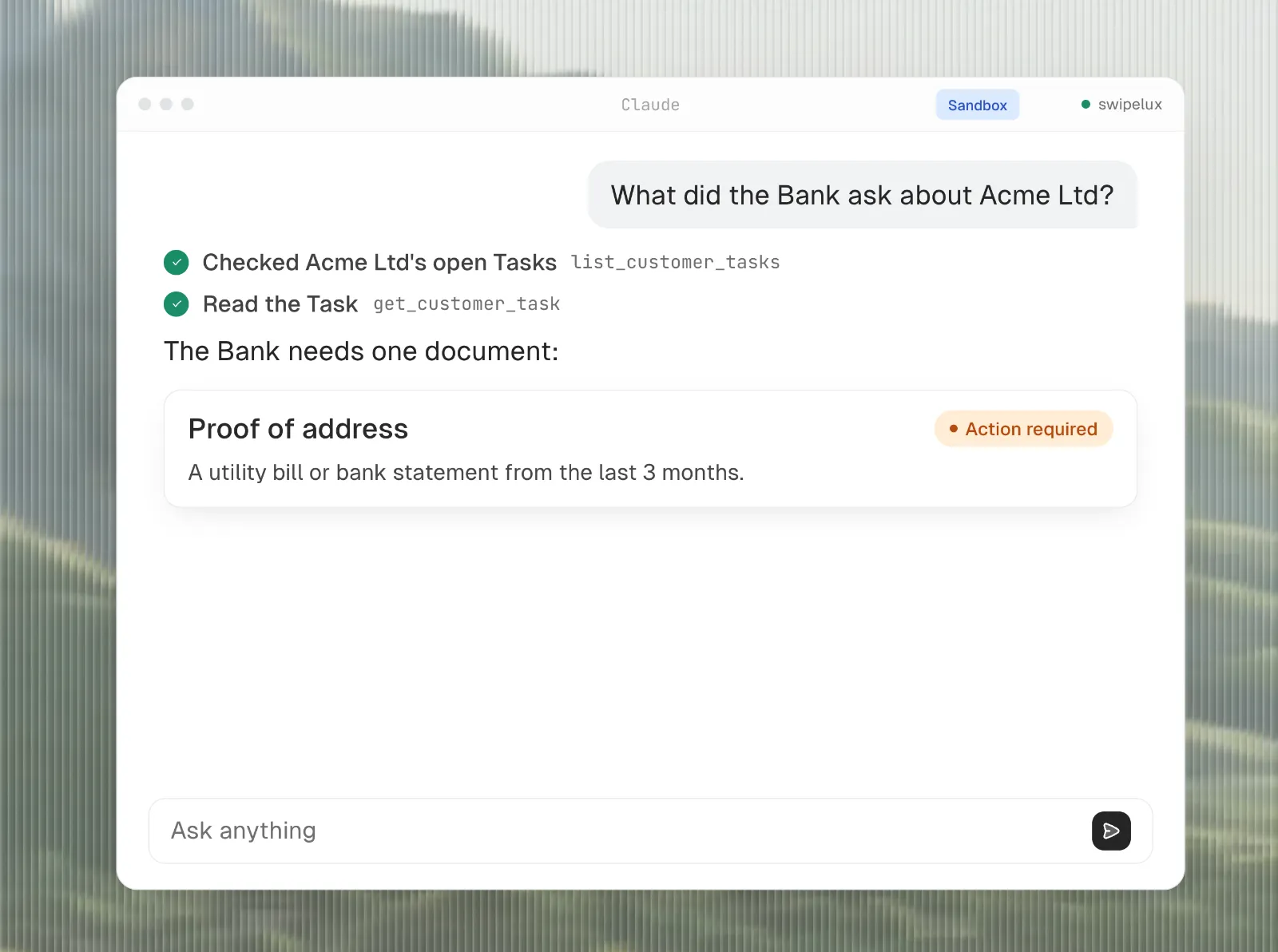
Yes. On Swipelux a KYB request is a Task: a request for information or documents about one customer, from the Bank, the partner bank behind that customer's account, or from Swipelux. A connected agent finds the open Tasks, says what each one needs, creates the upload link and submits the answer for review.
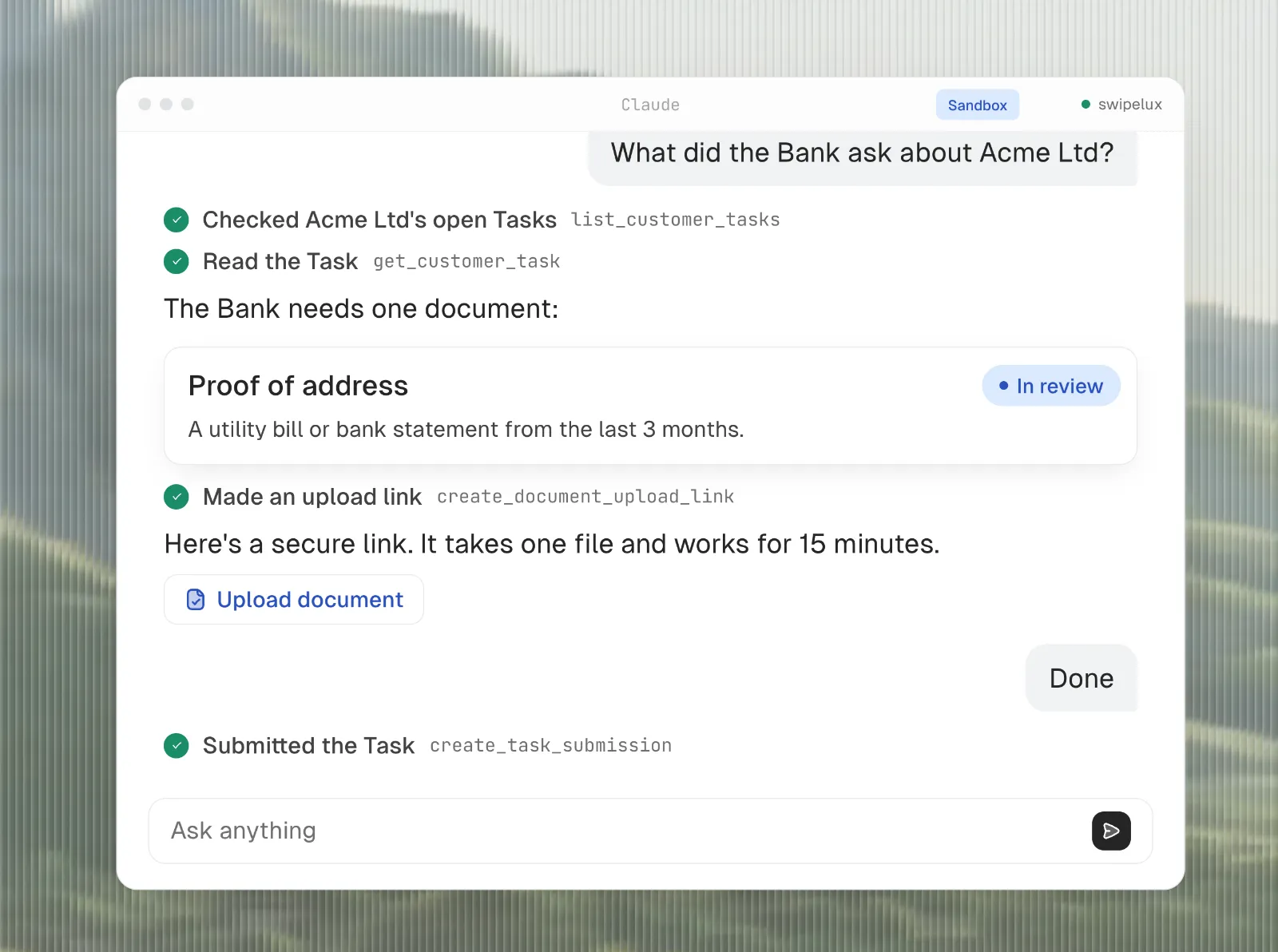
Ask "What does the Bank still need from Acme?" and the agent explains it in plain words: a proof of address from the last three months. KYB requirements and documents covers what a Bank asks a business for.
Then say "Find Acme's utility bill and upload it." An agent cannot send file contents through the connection, so it creates an upload link that works for 15 minutes. Open it and choose one file: a PDF or a JPEG, PNG, WebP or HEIC image, up to 4 MB or the smaller limit the Task states. An agent that runs on your computer, such as Claude Code or Codex, can also upload a local file through the link. The agent then submits the Task, and the request moves to In review.
The same works for the rest of onboarding:
- "Which customers still owe documents?"
- "Create a business customer for Acme Ltd and add its two directors."
- "Open USD bank accounts for Acme."
A USD bank account issued this way is in the customer's own legal name: see named account vs pooled FBO account.
How does an AI agent send a stablecoin payout?
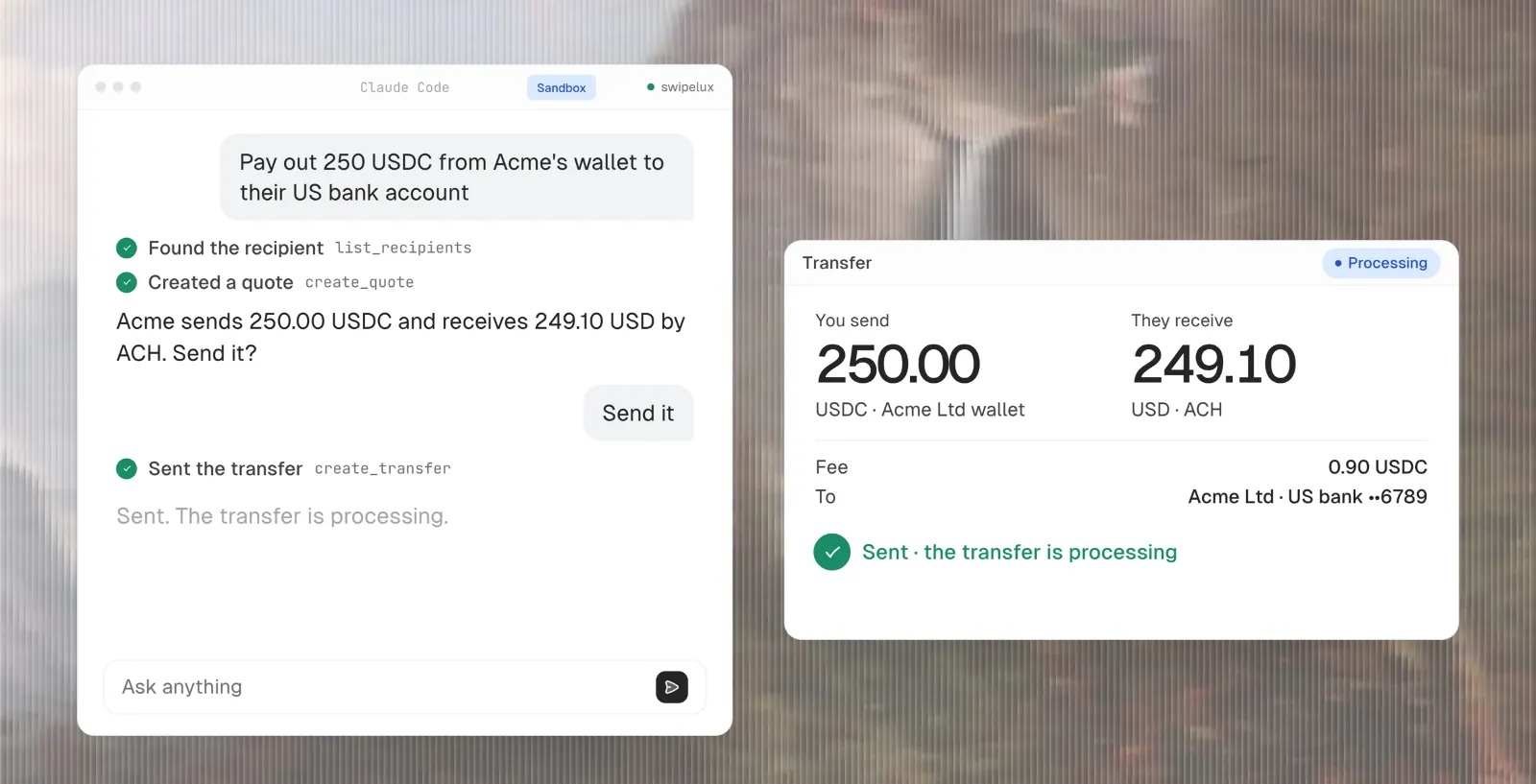
In two steps: a quote, which fixes the amounts, the fees and the rate until it expires, then a transfer, which executes that quote. The agent needs a connection with the Run your account job, the one that may move money.
"Pay out 250 USDC from Acme's wallet to their US bank account." The agent shows what leaves and what arrives: 250 USDC out, 249.10 USD in by ACH, a 0.90 USDC fee. Say "Send it" and the payout goes. That is a whole off-ramp, from stablecoins in a wallet to dollars in a bank account, in two messages. The picture is a Sandbox run; your fee is the one in your own quote.
The same payout, request by request, is in the guide to paying out USDC to a bank account by API. The next morning, "What came in today?" lists the day's deposits.
Is it safe to let an AI agent send payouts?
It is as safe as the access you give the agent. Swipelux does not ask you again before the agent acts, including before it sends funds, and the agent can run every API operation its permissions allow. So you decide when you sign the agent in: which space, which permissions and, in Claude or ChatGPT, which connector address. Every permission your role can grant is selected by default.
| Control | Where you set it | What it does |
|---|---|---|
| Space | At sign-in | The agent works in the space you choose. In a Sandbox space no real funds move. |
| Permissions | At sign-in | Clear Create payouts, Create transfers and Create and edit rules, and the agent cannot move money. Only a role that can move funds can grant them. |
| Onboarding-only address | The connector in Claude or ChatGPT | https://www.swipelux.app/api/mcp/directory has no tools that move money. |
| Disconnect | Agents, under Your agents | Revokes that agent's key. |
| MCP Keys | API Keys, in that space | Revokes the same key. |
In Claude Code and Codex the plugin's skills tell the agent to show the quote and wait for your word, and Claude and ChatGPT can ask you to approve a tool call. None of these is a check by Swipelux, so rely on the permissions you grant, not on the agent asking.
See and stop every connection
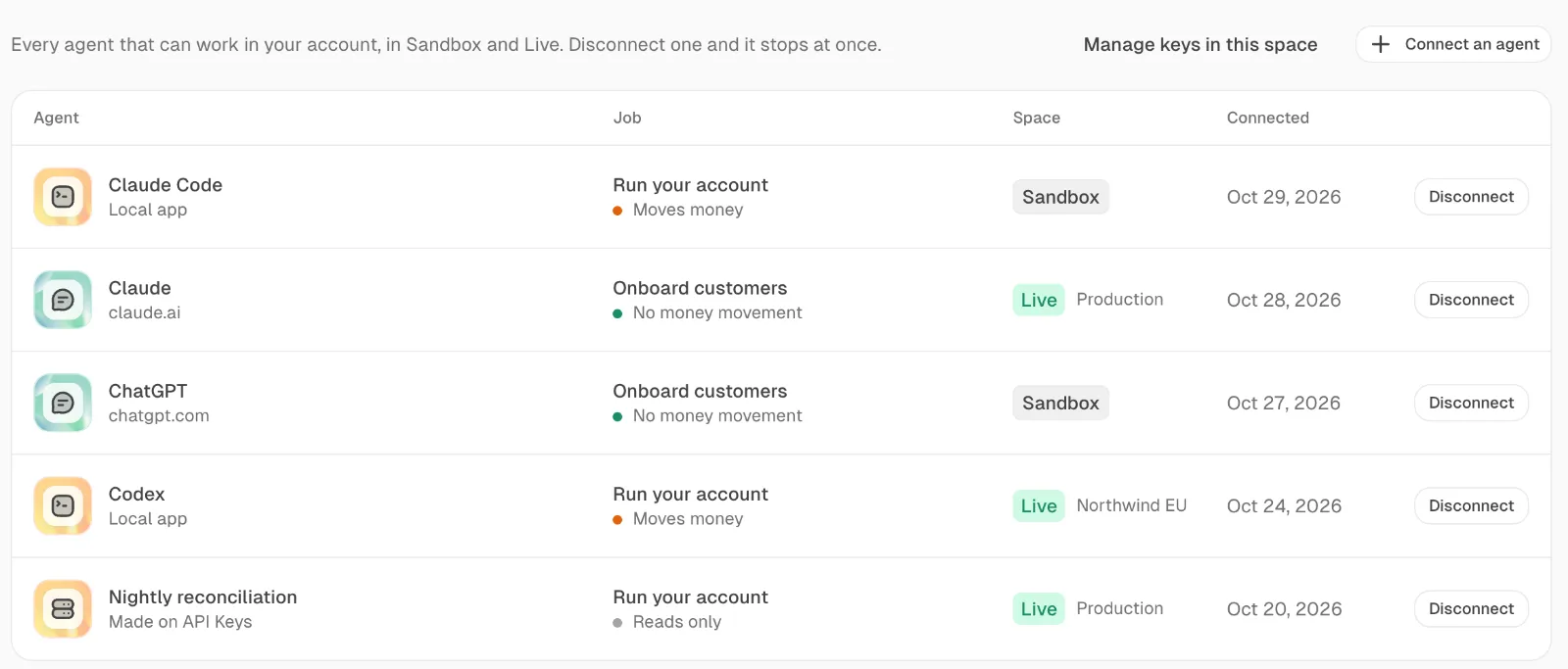
Your agents on the Agents page of your dashboard lists every connected app with its job, whether it moves money, its space and the day it connected. Disconnect stops it at once. Each sign-in creates a new key, so disconnect the agents you no longer use.
How do I connect Claude or ChatGPT to Swipelux?
Add the Swipelux connector by its address in Claude or ChatGPT, or install the Swipelux plugin in Claude Code or Codex, then sign in. Swipelux works in those four apps: Claude on the web and desktop, ChatGPT, Claude Code and Codex. Other apps that support remote MCP servers with sign-in can use the same address. Connecting takes about a minute.
Open Agents in your Swipelux dashboard and choose what you want done:
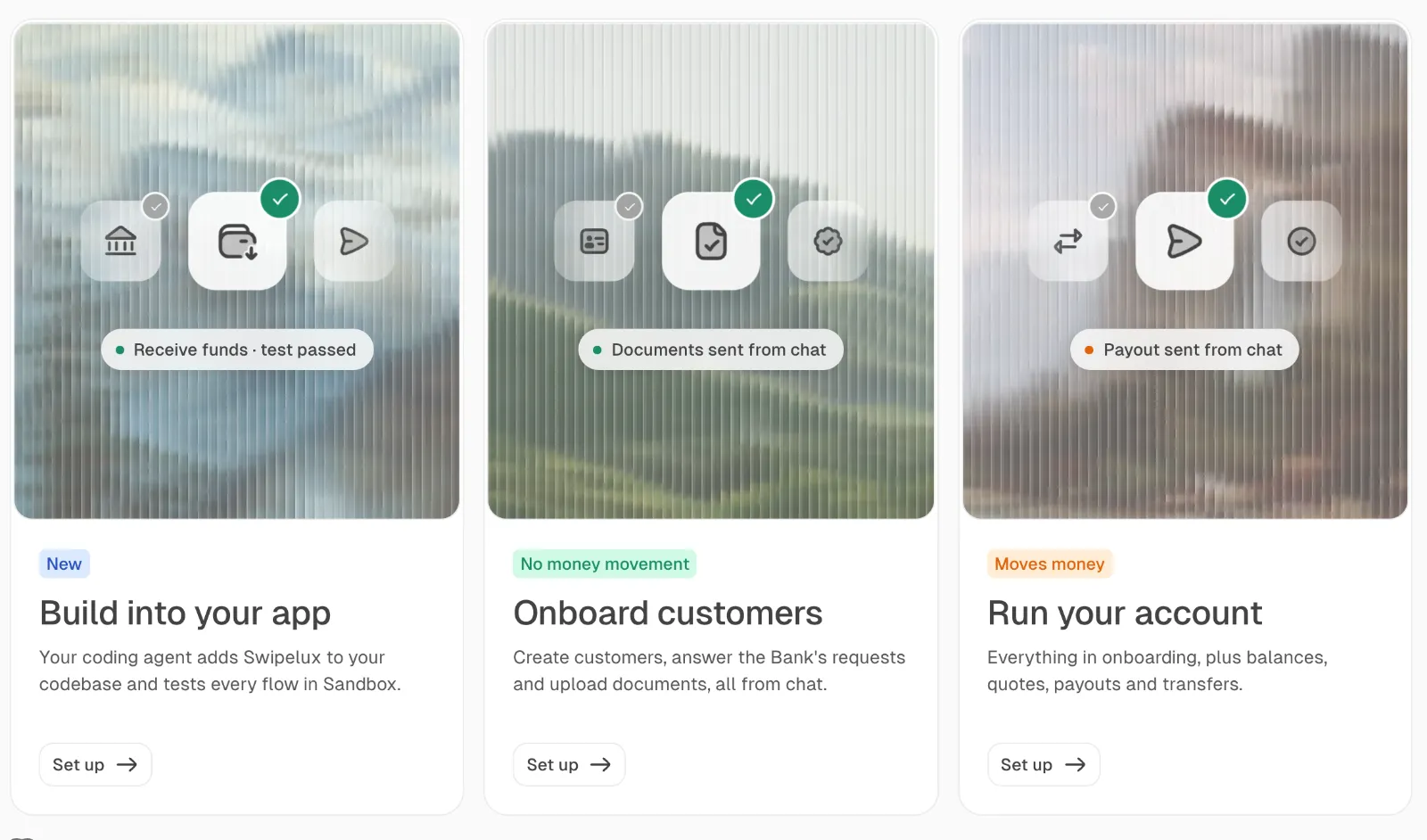
- Onboard customers: create customers, answer the Bank's requests and upload documents. The page marks it "No money movement".
- Run your account: all of that, plus balances, quotes, payouts and transfers. The page marks it "Moves money".
Then pick your app, and the page shows the steps for it:
| App | How it connects | What it needs |
|---|---|---|
| Claude, web and desktop | Add a custom connector with the address https://www.swipelux.app/api/mcp for Run your account, or https://www.swipelux.app/api/mcp/directory for Onboard customers, which has no tools that move money | Sign-in. On Team and Enterprise plans an Owner adds the connector once and members select Connect. |
| ChatGPT | Add a custom MCP server with one of the same two addresses | A Business or Enterprise plan, on ChatGPT web. A workspace admin or owner adds the server and publishes it for the workspace, then each person signs in. |
| Claude Code | Install the Swipelux plugin | Run /mcp, select swipelux and sign in |
| Codex | Install the Swipelux plugin | Start a new session and sign in when Codex asks |
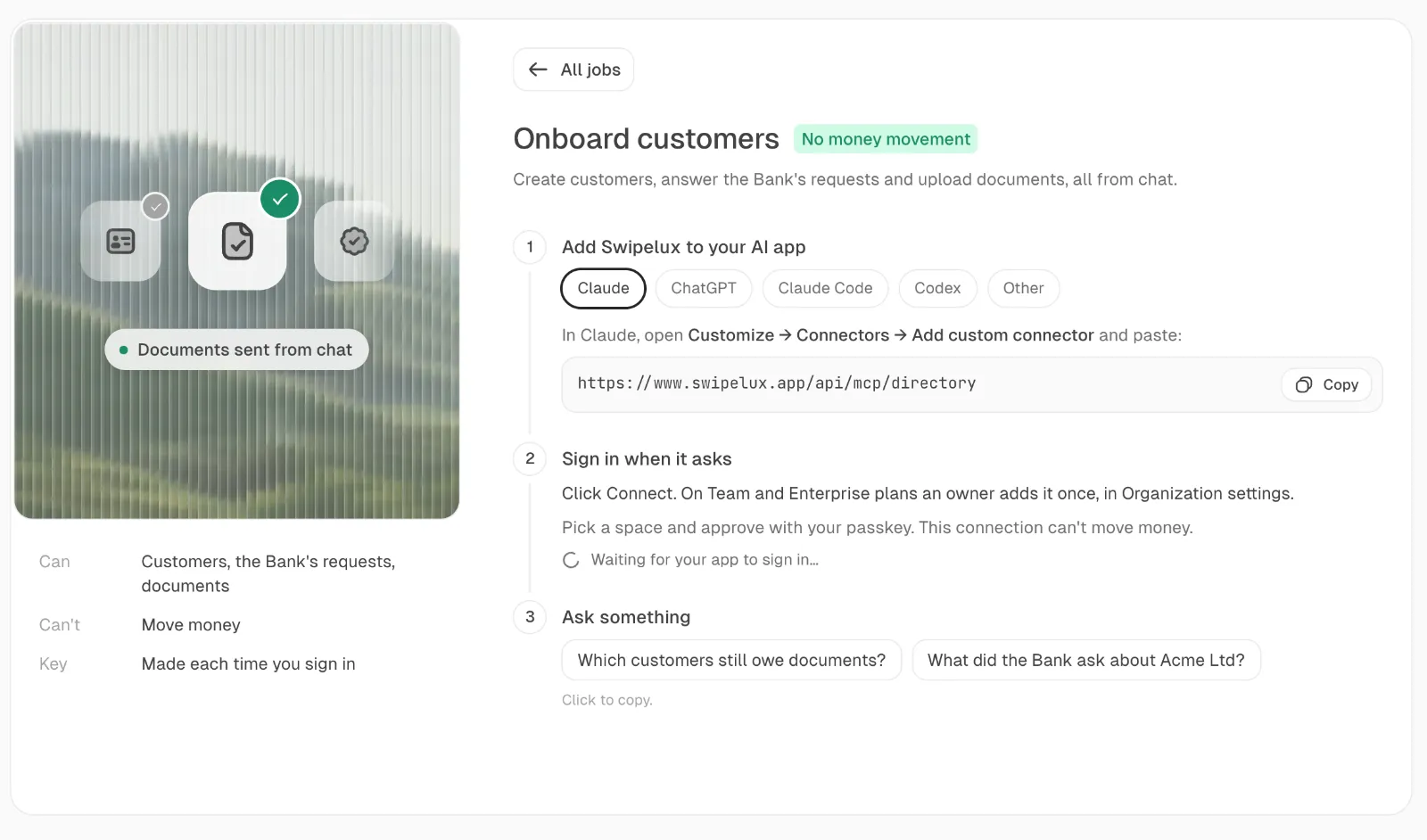
In the picture, Claude gets the Onboard customers job: the address ends in /api/mcp/directory, and that connection cannot move money. When the app asks you to sign in, Swipelux opens in your browser. Choose Sandbox or a live space and the permissions the agent gets, select Connect and confirm with your passkey. There's no API key to copy, and you need a role that can create API keys. The AI agents page lists the same steps, and the guide adds the setup without a browser sign-in.
Once connected, your operations team asks "Which customers still owe documents?" instead of opening the dashboard. "What came in today?" needs the Run your account job, which adds balances and transfers; clear Create payouts, Create transfers and Create and edit rules at sign-in when that connection should see balances and deposits but not move money.
What the Swipelux plugin adds in Claude Code and Codex
The plugin installs with two commands, in Claude Code or in Codex, with no API key in a config file:
claude plugin marketplace add swipelux/agent-plugin
claude plugin install swipelux-dev@swipelux

codex plugin marketplace add swipelux/agent-plugin
codex plugin add swipelux-dev@swipelux
The plugin connects your account at the full address, https://www.swipelux.app/api/mcp: 80 tools, limited to what your sign-in allows. For someone who should only chase documents, clear Create payouts, Create transfers and Create and edit rules at sign-in. A second server searches the public Swipelux docs, so the agent checks field names itself. Four skills hold the right order of calls, so you don't have to explain how Swipelux works. The plugin is open source.
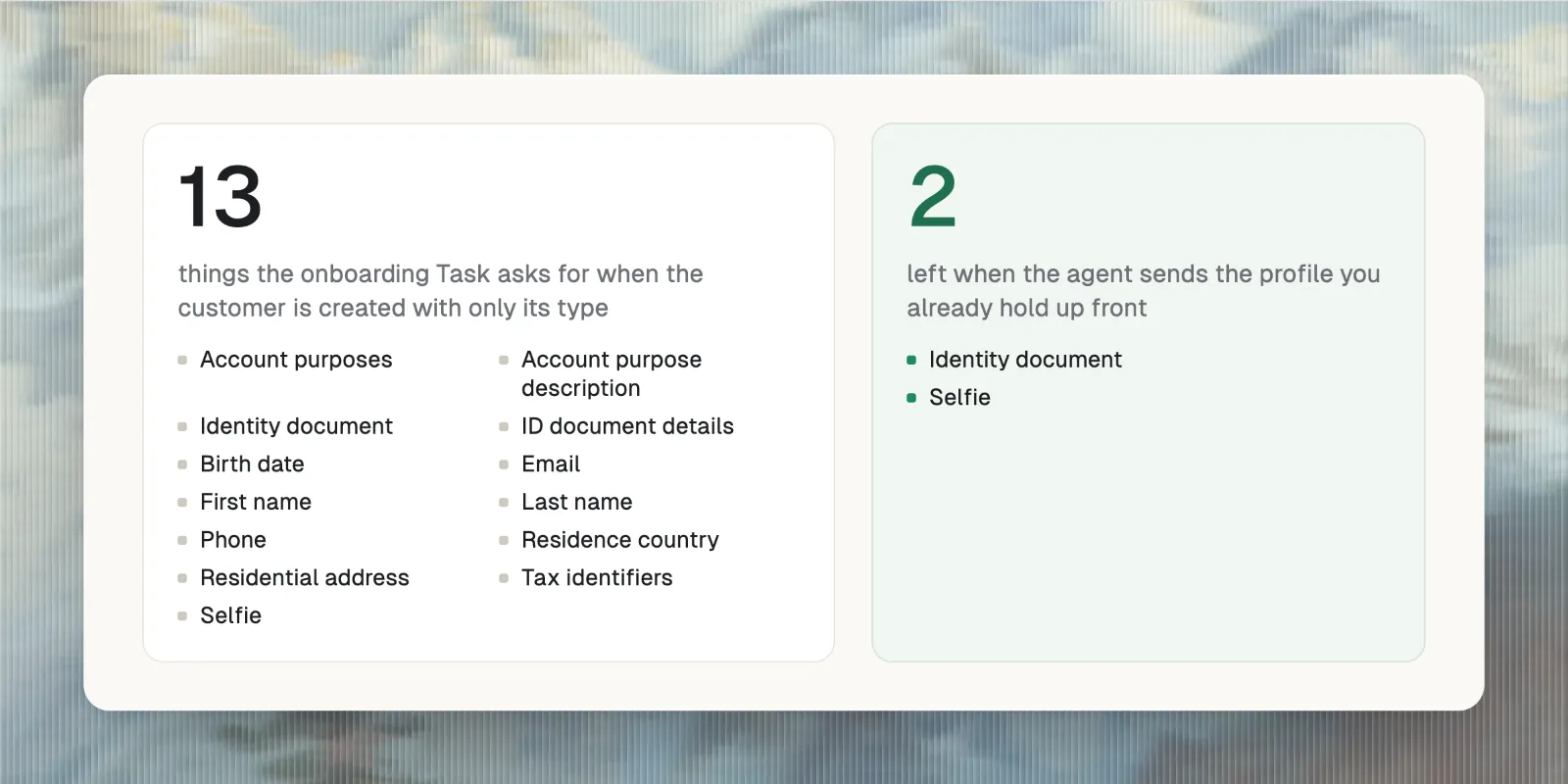
One thing the skills teach is to send the customer's details up front. In our Sandbox test with an individual customer, the onboarding Task asked for 13 things when the customer was created with only its type, and for 2 when the agent sent the profile first. That means less back and forth with your customer. The agent also reuses documents the customer already uploaded, and it shows the fee before it sends a payout.
For fintech operations and compliance leads: KYB follow-ups from the chat
If you run operations or compliance at a fintech company that onboards business customers, the slow part is the follow-up: a first batch of documents answered with a request for more, the same document asked for twice, and nobody sure what a stuck customer still owes.
The review stays with the Bank and Swipelux compliance. An AI agent takes over the chasing around it: who still owes documents, what each Task is missing, the upload link and the submission.
One way to split the work: give the people who chase documents a connection with the Onboard customers job, which cannot move money. Keep Run your account for someone whose role can move funds. Start both in Sandbox. In a live space the agent reads from the start, and it creates customers and sends money once your own company's business verification is approved: create a production space in the dashboard and complete Business verification. For pricing at volume, talk to sales.
Questions people ask
Can ChatGPT or Claude do KYB?
Yes, for the work on your side. Connected to Swipelux, Claude or ChatGPT reads the Bank's open Tasks, says what is missing, creates the upload link and submits the answers. The Bank and Swipelux compliance still do the review, and an identity check is completed by the person through a verification link.
Can an AI agent upload KYB documents?
Yes. On Swipelux the agent creates an upload link for the Task, the Bank's request. The link works for 15 minutes and takes one file: a PDF or a JPEG, PNG, WebP or HEIC image, up to 4 MB or the smaller limit the Task states. You choose the file, or Claude Code or Codex uploads a local file through the link.
Does Swipelux ask again before the agent sends funds?
No. Swipelux does not ask you again before the agent acts, including before it sends funds. An agent can show the quote and wait for your word, but that is the agent's behaviour, not a check by Swipelux. For an agent that must not move money, clear Create payouts, Create transfers and Create and edit rules at sign-in.
How do I limit what an AI agent may do, and switch it off?
Limit it by the space and the permissions you choose at sign-in. Every permission your role can grant is selected by default, so clear Create payouts, Create transfers and Create and edit rules for an agent that should not move money. To switch it off, open Agents in your Swipelux dashboard and select Disconnect under Your agents, which revokes its key.
Does the AI app see my customers' documents?
It does not see a file you upload in Claude or ChatGPT: the agent creates an upload link, you choose the file on that page, and the document goes to Swipelux, not into the chat. The agent can also list a customer's stored documents and get a download link to one. Customer details the agent reads and writes, such as names, addresses and tax identifiers, pass through the conversation under your AI plan's data terms.
Do I have to give the AI agent an API key?
No. You sign in in the browser and Swipelux creates an MCP key for that connection, so there is no key to copy. Only a setup without a browser sign-in, such as a server, uses an MCP key you create yourself and send in the X-API-Key header.
Which plans of Claude and ChatGPT work with the Swipelux connector?
ChatGPT needs a Business or Enterprise plan: OpenAI offers custom MCP servers with full support to Business and Enterprise/Edu workspaces, on ChatGPT web. Claude takes custom connectors on Free, Pro, Max, Ultra, Team and Enterprise plans, according to Anthropic, with one custom connector on Free. On Claude Team and Enterprise an Owner adds the connector once and members select Connect.
Is there an MCP server for a payments API?
Yes. Swipelux hosts one at https://www.swipelux.app/api/mcp, so there is no gateway or middleware for you to build. Connected to it, Claude, ChatGPT, Claude Code or Codex can create customers, request capabilities, answer Tasks, upload documents, manage accounts and recipients, and quote and send transfers, within the permissions you grant.
What is an MCP server, and how is it different from an API?
An MCP server is a program that provides context to AI apps, including tools the app can call to perform actions. An API is called by code your developers write; an MCP server lets an AI app call operations when a person asks. The Swipelux MCP server's tools map one-to-one to Swipelux API v3 operations.
Can I try an AI agent in Sandbox, without real money?
Yes. Choose a Sandbox space when you sign the agent in to Swipelux; it is preselected. No real funds move there, and the agent can also play the Bank. Ask it to top up a wallet, approve a request or make a payout fail, and see what your team and customers would see.
Building a product on Swipelux?
Adding Swipelux to your own app is a different job from running your account in a chat. The Swipelux wizard has your coding agent, Claude Code or Codex, write the integration and check it in Sandbox: Add bank accounts, pay-ins and payouts to your app with Claude Code or Codex.
Start now
- Open Agents in your Swipelux dashboard. No account? Sign up; Sandbox is ready right away.
- Pick Onboard customers for KYB work only, or Run your account to add payouts, then your app, and follow the steps.
- Sign in to Sandbox and ask "Which customers still owe documents?"